Readability Analyzer: Find the Sweet Spot for AI Search & SEO
As of September 2026, a readability analyzer helps SaaS teams check whether copy is easy to scan, easy to quote, and easy for AI search systems to extract. It turns sentence length, word complexity, and grade-level signals into a practical edit list before a page goes live.
Key takeaways
- A readability analyzer scores sentence length, word complexity, and sometimes syllables to estimate how hard text is to process.
- A middle-band score usually beats a “smart but dense” draft for AI search, because direct answers get extracted more often.
- Flesch-Kincaid, Gunning Fog, and Flesch Reading Ease work best together, not in isolation.
- A free readability checker is enough for spot checks, but teams shipping content at scale need pipeline-level scoring.
- The sweet spot is clarity with technical accuracy, not simplified copy that strips out meaning.
What is a readability analyzer and how does it work?
A readability analyzer measures how hard a passage is to read by looking at sentence length, word length, and, in some formulas, syllable counts. In practice, it gives you a grade-level estimate or a reading-ease score so you can spot dense copy before it goes live. That matters for a readability test because the problem is usually not one terrible sentence. It is a stack of slightly heavy sentences that add up to friction.
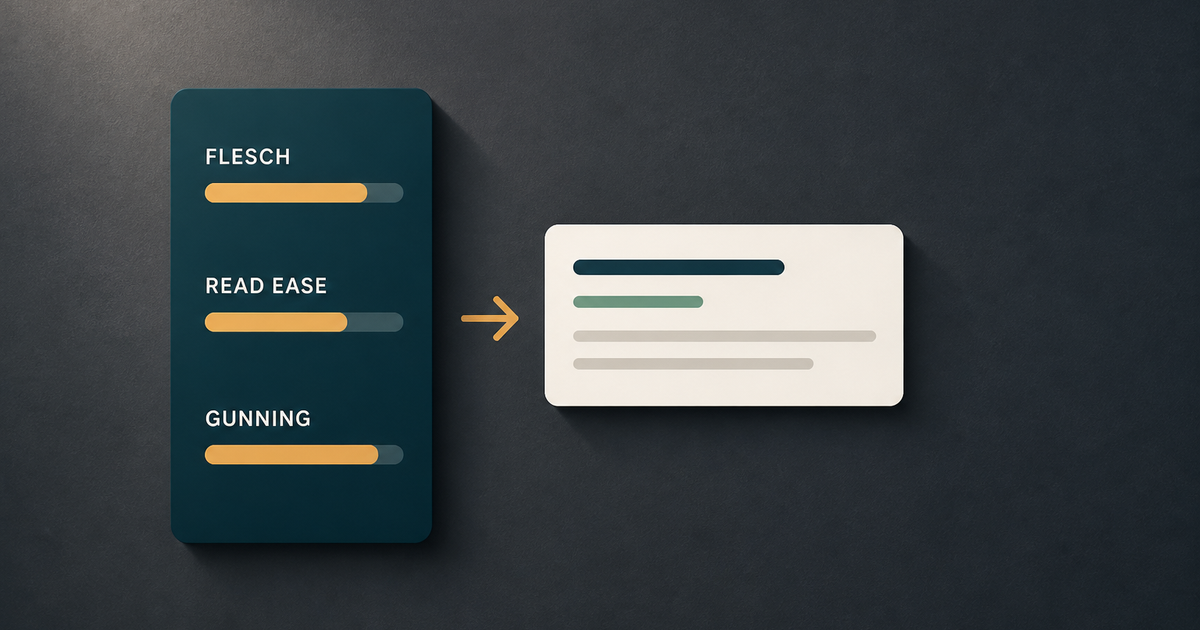
The classic formulas are still the starting point. Flesch-Kincaid Grade Level estimates school grade level from average sentence length and average syllables per word. Flesch Reading Ease scores text on a 0 to 100 scale, where higher is easier to read. Gunning Fog Index pushes in the same direction but weights complex words more heavily, which is useful when jargon starts to pile up. If you want a named reference for the formula family, Readability Formulas maintains the standard equation set used by many tools, including Flesch-Kincaid and Gunning Fog (Readability Formulas).
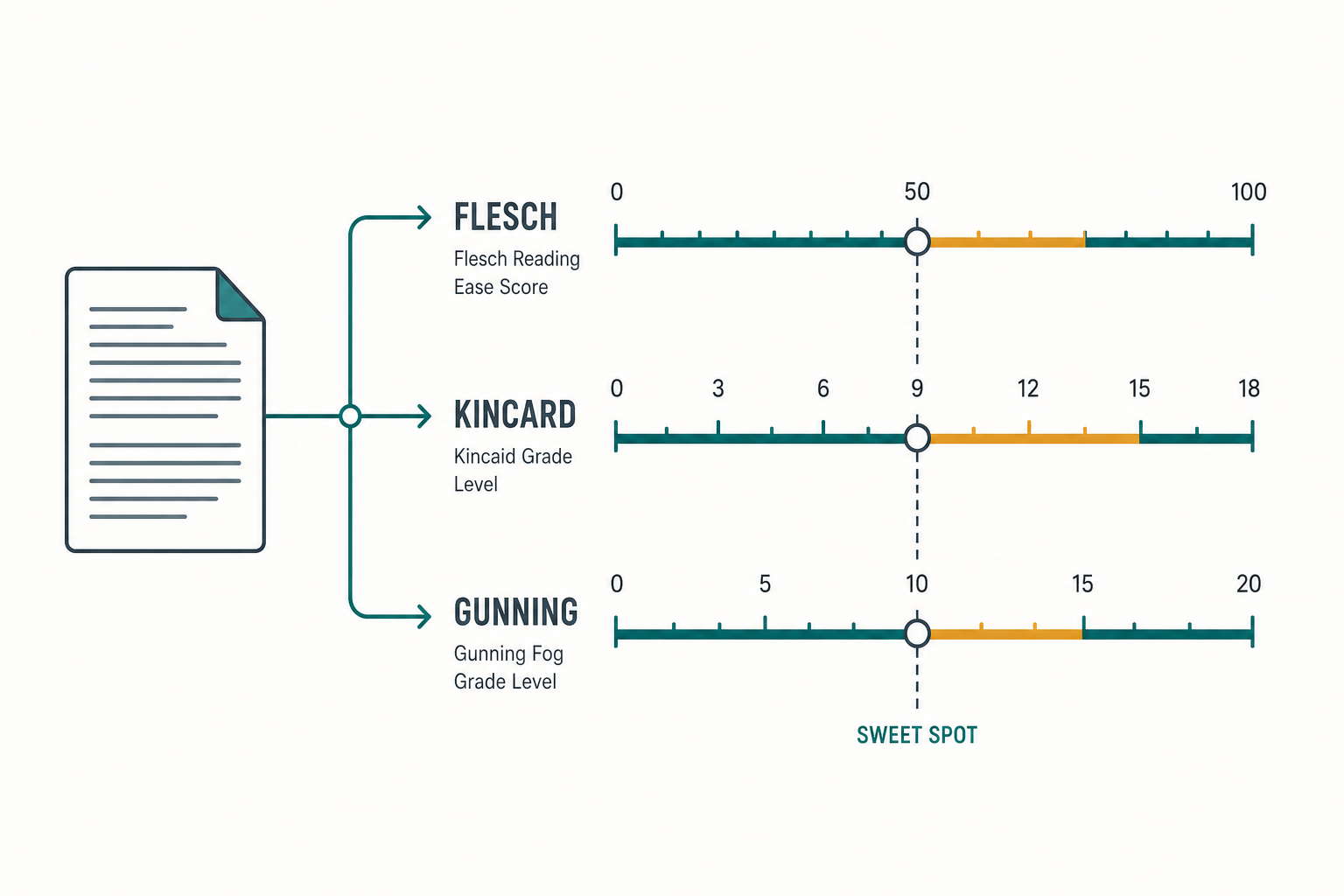
Three major readability formulas shown side by side — each measures text complexity differently but converges on a similar mid-range target.
The better tools do more than spit out a number. They show which sentences are dragging the score down, whether passive constructions are stacking up, and where long clauses are making the paragraph hard to scan. That is why teams use a readability checker before publishing. It turns “this feels heavy” into a fixable pattern.
A good readability analyzer also helps separate human readability from machine parseability. Search crawlers do not need prose to be elegant. They need stable structure, clear subject-verb logic, and low ambiguity. When you run an online readability tool, you are not just checking whether humans can read it. You are checking whether the page is likely to hold attention, preserve meaning, and stay extractable.
Why readability scoring dictates AI search visibility and LLM citations
Readability scoring matters because AI search systems lift cleaner passages more often. Google AI Overviews, Perplexity AI, and other retrieval-driven systems tend to favor short, direct, entity-rich blocks that answer the query without detours. A paragraph that states the answer early, uses one main idea per sentence, and avoids nested clauses is easier to chunk, easier to rank internally, and easier to cite.
That does not mean “dumb it down.” It means remove avoidable friction. A technical reader can handle domain terms. What breaks extraction is syntactic clutter: long lead-ins, stacked modifiers, and sentences that bury the claim in the last clause. A page can be accurate and still underperform if the wording forces the model to untangle it before it can quote it.
The practical rule is simple: one idea per paragraph, one answer in the first sentence, and one supporting detail after it. That shape helps both human skimmers and AI parsers.
In GEO terms, the sweet spot is high signal density with low parsing cost. That favors compact definitions, explicit examples, and paragraphs that keep one topic per block. It also means the best-performing copy is often more modular than literary. If a section can be lifted as-is into an answer box or a cited snippet, it usually has the right shape for AI search.
“SEO tools don't create rankings, strategy does. The right free SEO tools simply help you make smarter decisions faster.”
Growth Stats, 2026
There is a trade-off. If you over-optimize for short sentences, you can flatten authority. If you over-optimize for authority, you can make the page harder to quote. The real goal is readable expertise: enough structure for retrieval systems, enough precision for experts, and enough momentum for a human skimmer to keep going. That balance is where AI Overviews and classic SEO start to overlap.
The readability spectrum: Benchmark formulas and target scores
The most useful benchmark is not one score. It is a range mapped to the job of the page. A product landing page can usually sit lower than a research-heavy blog post, while API docs often need slightly higher density because they rely on terminology and exactness. As a rule of thumb, content that sits around Flesch Reading Ease 60 to 70 tends to hit the practical sweet spot for web content: clear enough to scan, still technical enough to be credible.
| Formula | What it measures | Typical interpretation | Best use case |
|---|---|---|---|
| Flesch Reading Ease | Sentence length and syllables | Higher = easier | General web copy, landing pages |
| Flesch-Kincaid Grade Level | U.S. school grade estimate | Lower = easier | Editorial review, content planning |
| Gunning Fog Index | Long sentences and complex words | Lower = easier | Dense B2B and technical content |
| Coleman-Liau Index | Characters per word and sentence | Lower = easier | Quick text comparisons |
| SMOG | Polysyllabic word load | Lower = easier | Health, policy, and compliance copy |
A Flesch-Kincaid Grade Level of 14 usually signals academic density. That is not automatically bad, but it is a warning flag for most marketing pages because it slows comprehension and raises the odds that the key point gets buried. By contrast, a score near 7 or 8 often works better for broad SaaS audiences because it keeps the page readable without removing terminology that matters.
For B2B SaaS, the target changes by format. Product pages can be tighter. Thought leadership can run slightly higher if it is genuinely analytical. Documentation can be higher still, but only when accuracy demands it. If you want a deeper B2B benchmark framework, this is the companion guide to read: grading B2B content for readability.
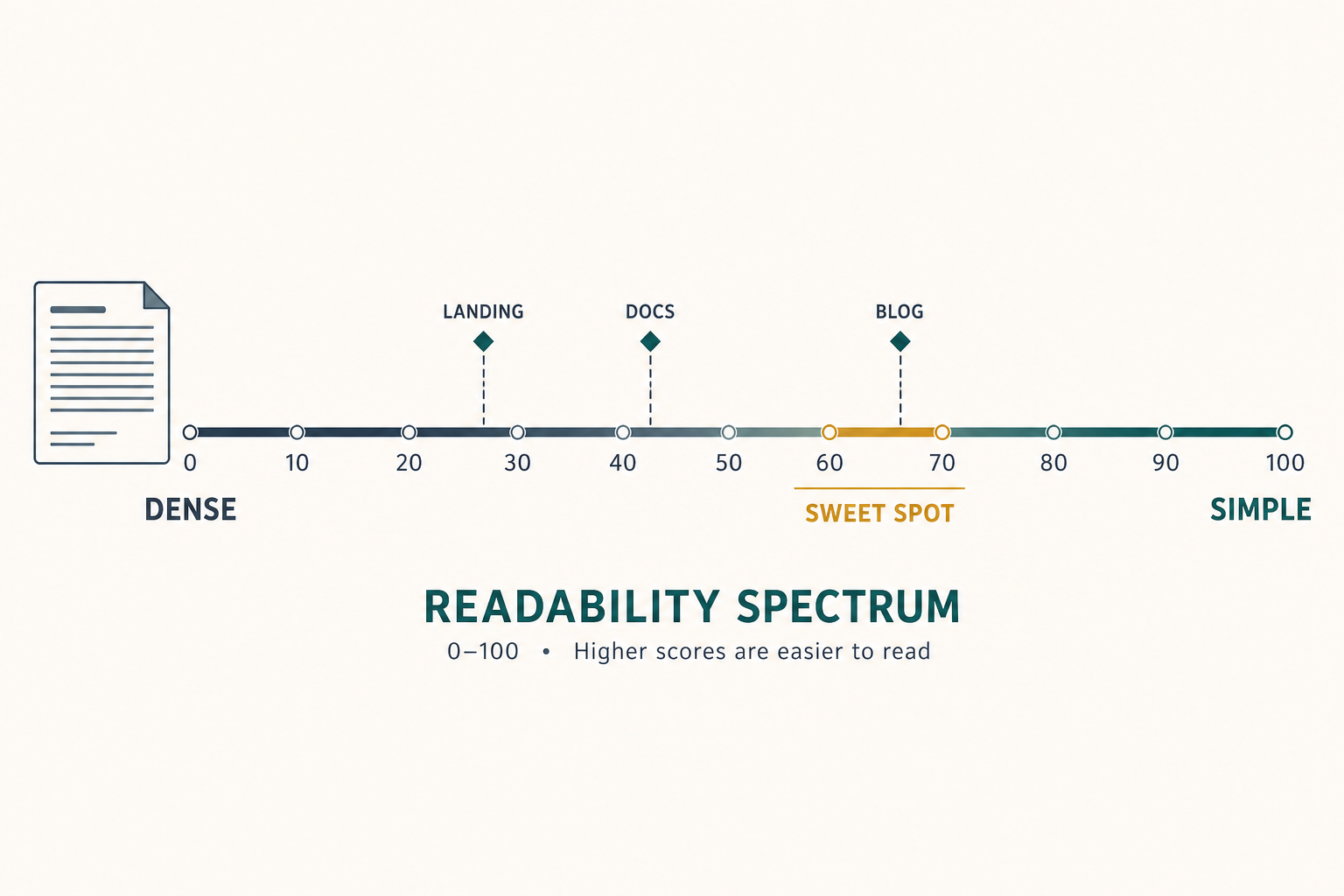
Target score bands vary by content type — the sweet spot for most web content sits between 60 and 70 on the Flesch Reading Ease scale.
Use the benchmark to choose the right score band for the page type. A single “good” number is less useful than matching the score to the job: conversion page, thought leadership, or documentation.
What tools can I use to assess my reading level?
You can use a free browser tool, a standalone editor, or an automated platform. For quick spot checks, the best-known options are Hemingway App, Datayze Readability Analyzer, and a basic readability checker such as Essel’s free tool. Hemingway is useful when you want a fast visual pass on long sentences, passive voice, and adverb-heavy writing. Datayze and similar calculators are better when you want a simple score without distractions.
For a direct answer to the free-tool question, yes, there are free options. If you want to check your readability score without paying, use a free readability checker first, then compare the result with a second tool to see whether one formula is skewing the number. That cross-check is useful because different formulas punish different structures.
If you are choosing between tools, compare them on three things: formula coverage, line-level diagnostics, and workflow fit. A single-page online readability tool is fine for one article. It is not fine for a team shipping ten posts a week across a CMS, internal linking plan, and refresh cycle. At scale, you want the score to live inside the content workflow, not outside it.
| Tool type | What it is good at | Where it breaks |
|---|---|---|
| Free checker | Fast score, low friction | Limited diagnostics |
| Hemingway App | Sentence-level clarity cues | Less useful for scale and automation |
| Formula calculator | Exact grade-level output | Narrow view of content quality |
| Automated content platform | Continuous scoring in workflow | More setup, usually paid |
If you are asking, “What tools can I use to assess my reading level?” the honest answer is: start free, then move to automation when content volume becomes the bottleneck. For a practical workflow view, see diagnosing weak copy with readability tools.
How to check readability score across your content pipeline automatically
You should check readability score before a draft reaches staging, not after it is published. The simplest workflow is to score the draft, flag long sentences, fix structure, and rescore before handoff. That saves revision time and prevents the most common failure mode: a page that is conceptually strong but buried under heavy syntax.
- Run the draft through a readability checker.
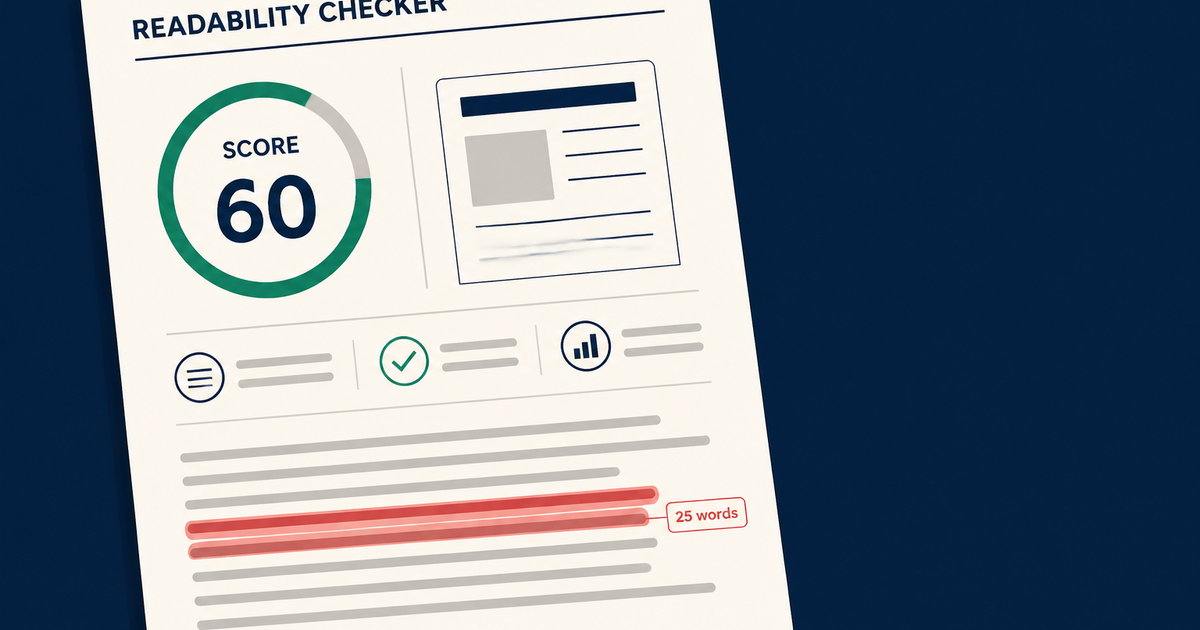
- Flag sentences over 25 words.
- Split compound ideas into separate sentences.
- Replace passive constructions with active subject-verb order.
- Preserve product names, entities, and technical terms.
- Rescore and compare the before/after.
A good automated system does more than count words. It checks whether the draft still preserves terminology after simplification, whether headings match the paragraph logic, and whether the page keeps enough entity density for search engines and AI parsers. That is where a modern SEO engine adds value. It can score content, suggest edits, and push updates into the CMS without making the team babysit every line.
Tip: If a sentence carries the main answer, keep it short enough to quote cleanly. If it carries nuance, break the nuance into a second sentence instead of hiding it inside the first.
The payoff is consistency. Manual checks catch obvious clutter, but they miss the pattern across a content library. Automated scoring turns readability into a system property, which is what you need if you are publishing at cadence and optimizing for Google, AI Overviews, and Perplexity at the same time.
Frequently asked questions
Is there a free tool that can check my readability score?
Yes. A free tool can check your readability score instantly, and that is enough for most one-off drafts. Use a browser-based checker or a free readability checker when you need a quick reading-level estimate, then validate the result with a second formula if the content is technical or jargon-heavy.
Which readability checker is most accurate?
The most accurate readability checker is the one that matches the job of the text. Flesch-Kincaid is strong for general editorial work, Gunning Fog is useful when complex words matter, and Hemingway-style tools are good for spotting sentence clutter. For technical SaaS copy, use more than one formula.
Is a readability score of 60 considered good?
Yes. A Flesch Reading Ease score of 60 is generally a solid target for most web content because it lands in a readable middle band without sounding oversimplified. It is usually a better goal than chasing very high ease scores that can flatten meaning.
What grade level did Hemingway write at?
Hemingway is commonly associated with short, direct prose around a 4th to 6th grade reading level. That does not mean the writing is childish. It means the structure is tight, the verbs do the work, and the reader never has to untangle the sentence before reaching the point.
What app can I use to determine my reading level?
Use Hemingway App for fast editing feedback, then pair it with a formula-based readability checker if you need a grade-level number. If you need repeatable scoring across many pages, use an automated online readability tool that fits into your publishing workflow.