How to Use AI for SEO Without Breaking Workflow
As of June 2026, the safest way to use AI for SEO is to let it speed up repeatable work while humans keep control of strategy, accuracy, and publishing decisions. Done right, it trims research, drafting, optimisation, and refresh time without creating rework. That is the workflow-safe version of AI SEO, and it is the one teams can scale.
Key takeaways
- AI works best in SEO when it accelerates research, drafting, optimisation, and refreshes, not when it replaces editorial judgement.
- A content brief, review gates, and a clear CMS path should exist before you prompt anything.
- Google Search Console, ChatGPT, and Perplexity are useful together when each one has a narrow job.
- AI-assisted on-page SEO should improve titles, entities, internal links, schema opportunities, and clarity before it touches publish.
- Platforms like Essel matter when prompt sprawl starts breaking consistency, speed, and scale.
What AI can safely handle in SEO
AI can safely handle the repeatable parts of SEO work, but it should not own the final call on intent, facts, or brand voice. That includes keyword clustering, SERP summarisation, outline generation, first-pass copy, internal link suggestions, title variants, and refresh ideas. For a baseline on the category itself, what AI SEO means in practice is a useful companion read before teams operationalise it.
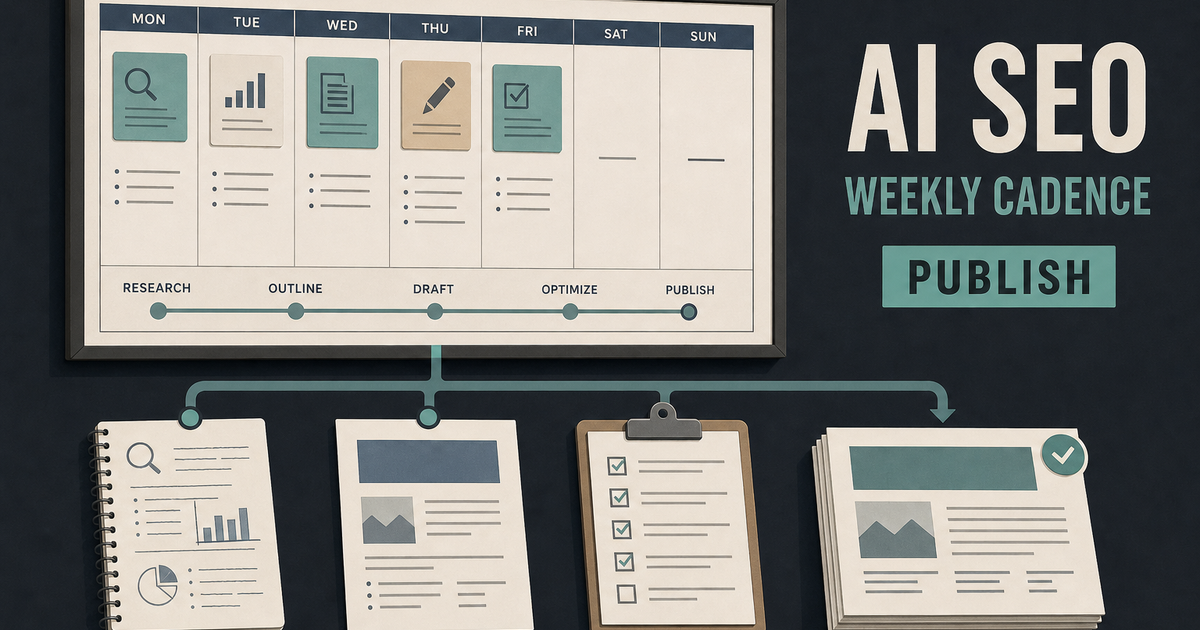
In a practical ai seo workflow, the pattern is simple: use AI to reduce blank-page time, then use humans to approve what ships. That gives you ai for seo content without turning every article into the same shape. It also keeps ai seo automation focused on speed, not on replacing the editorial layer that protects quality.
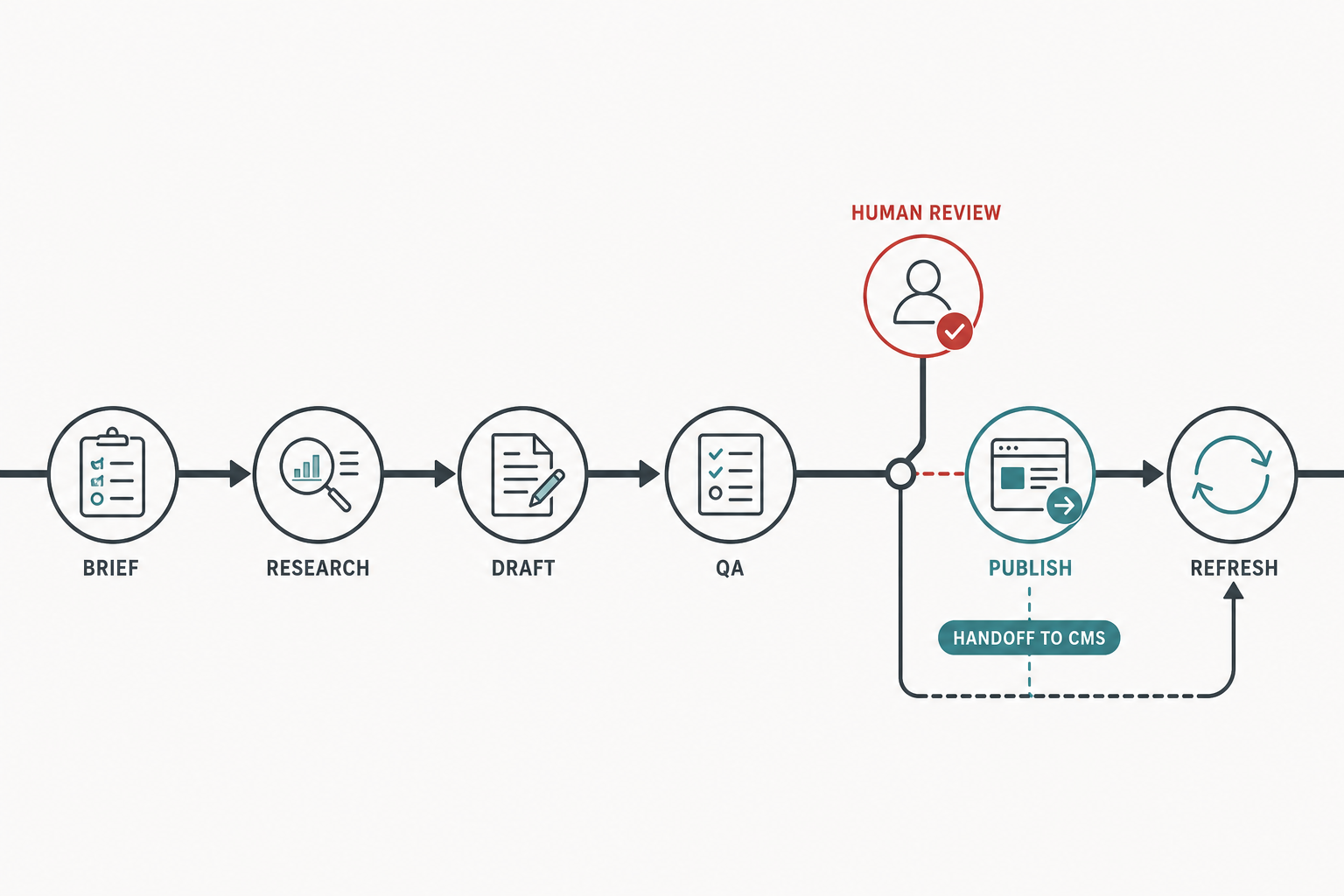
AI belongs in repeatable stages, not at the final approval step.
The best rule is easy to apply. If a task is repetitive and low-risk, AI can draft it. If a task affects meaning, ranking intent, or trust, a person should decide. That line keeps seo workflow automation useful instead of messy.
Set up the workflow before you add AI
A workflow-safe AI setup starts with the brief, not the prompt. Before anyone opens ChatGPT, define the target query, search intent, audience, conversion goal, primary source set, and approval path. If those inputs are vague, AI will happily fill the gaps with plausible text that creates edit debt later.
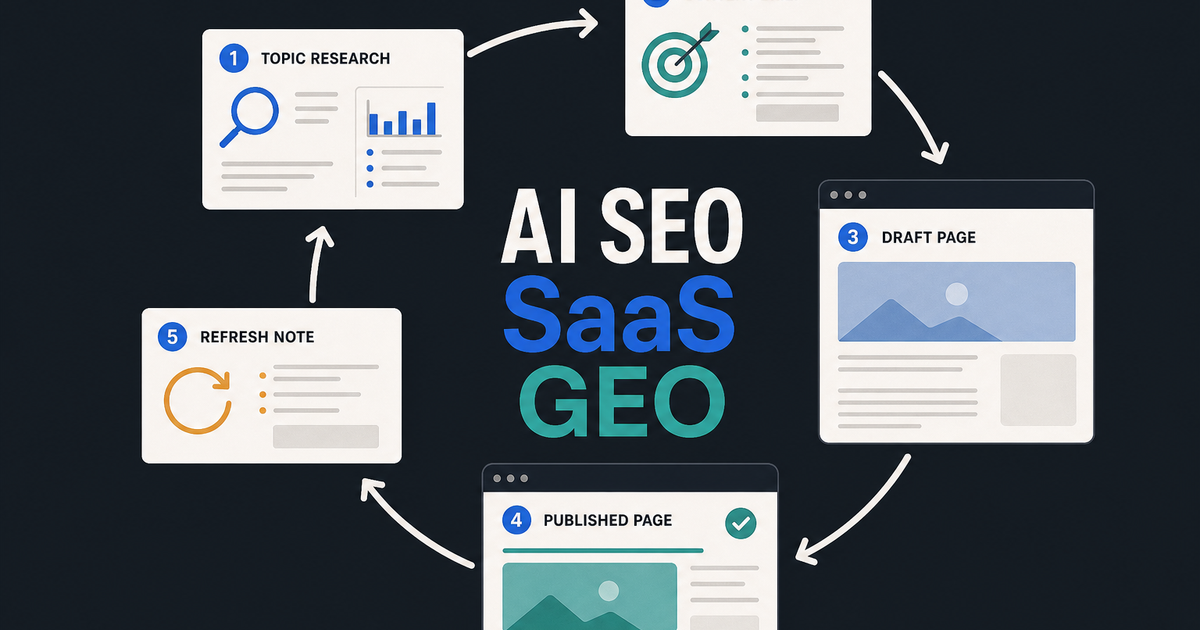
Start by mapping the existing content path from brief to CMS. Mark where research happens, where draft creation happens, where optimisation happens, where legal or expert review happens, and where publish approval happens. AI then slots into specific stages instead of floating across the whole process. That matters because ai seo tools only help when they fit the team’s real operating rhythm.
A simple setup checklist looks like this:
- [ ] Define one target page goal for the asset.
- [ ] Write one primary search intent and one audience problem.
- [ ] List required sources, entities, and proof points.
- [ ] Decide who reviews facts, tone, and on-page SEO.
- [ ] Set a CMS publish path before drafting starts.
- [ ] Decide what AI can draft automatically and what must be approved manually.
That structure also protects E-E-A-T. AI can assist with research and assembly, but the expertise signal still comes from the people, sources, and examples you include. If the team is still deciding what category of workflow it needs, this guide to AI SEO helps frame the setup phase cleanly.
Use AI for SEO research and topic validation
AI is strongest in SEO research when it narrows options, exposes patterns, and drafts hypotheses for humans to verify. Use it to cluster keywords, summarise competing pages, extract common subtopics, and propose angles around a primary query. Then validate those ideas against performance data, especially in Google Search Console, where impressions and query drift show what the site is already surfacing for.
A solid research loop looks like this:
- Ask ChatGPT to group related queries by intent and page type.
- Use Perplexity to collect quick source-backed context for the topic.
- Compare the AI summary with Google Search Console queries and pages.
- Identify topical gaps, stale sections, and decaying pages.
- Pick one angle that matches the searcher's job to be done.
That workflow avoids the classic trap: asking AI to invent a topic before you know whether the site should target it. It also keeps ai content optimization grounded in actual demand rather than generic suggestion lists. If the topic is drifting into GEO and AEO workflow breaks, what SEO for AI is called gives readers the GEO and AEO context without turning this piece into a terminology explainer.
A useful habit is to ask AI for the messy middle, not the final answer. For example, have it produce ten likely subheadings, then remove the ones that do not map to search intent or buyer pain. That is faster than manually brainstorming from a blank page, and safer than accepting the first draft as truth.
Use AI to draft content without losing intent
AI should draft from a brief, not from a blank prompt asking for a finished article. The safest way to use it is to feed it the outline, the audience, the target query, and the proof points, then ask for one section at a time. That keeps the draft anchored to one intent and one outcome, instead of expanding into generic commentary about AI.
For example, if the brief calls for a comparison page or a how-to guide, ask AI to generate the intro, section bullets, and a first pass on supporting paragraphs. Then rewrite for brand tone, remove duplicated claims, and tighten the answer to the specific search question. This is where ai for seo content becomes a real production aid, not a content factory.
A better drafting sequence is:
- Draft the outline from the brief.
- Generate one section at a time.
- Replace vague lines with concrete examples.
- Remove claims that do not have a source or internal proof.
- Tighten the opening sentence so the page answers quickly.
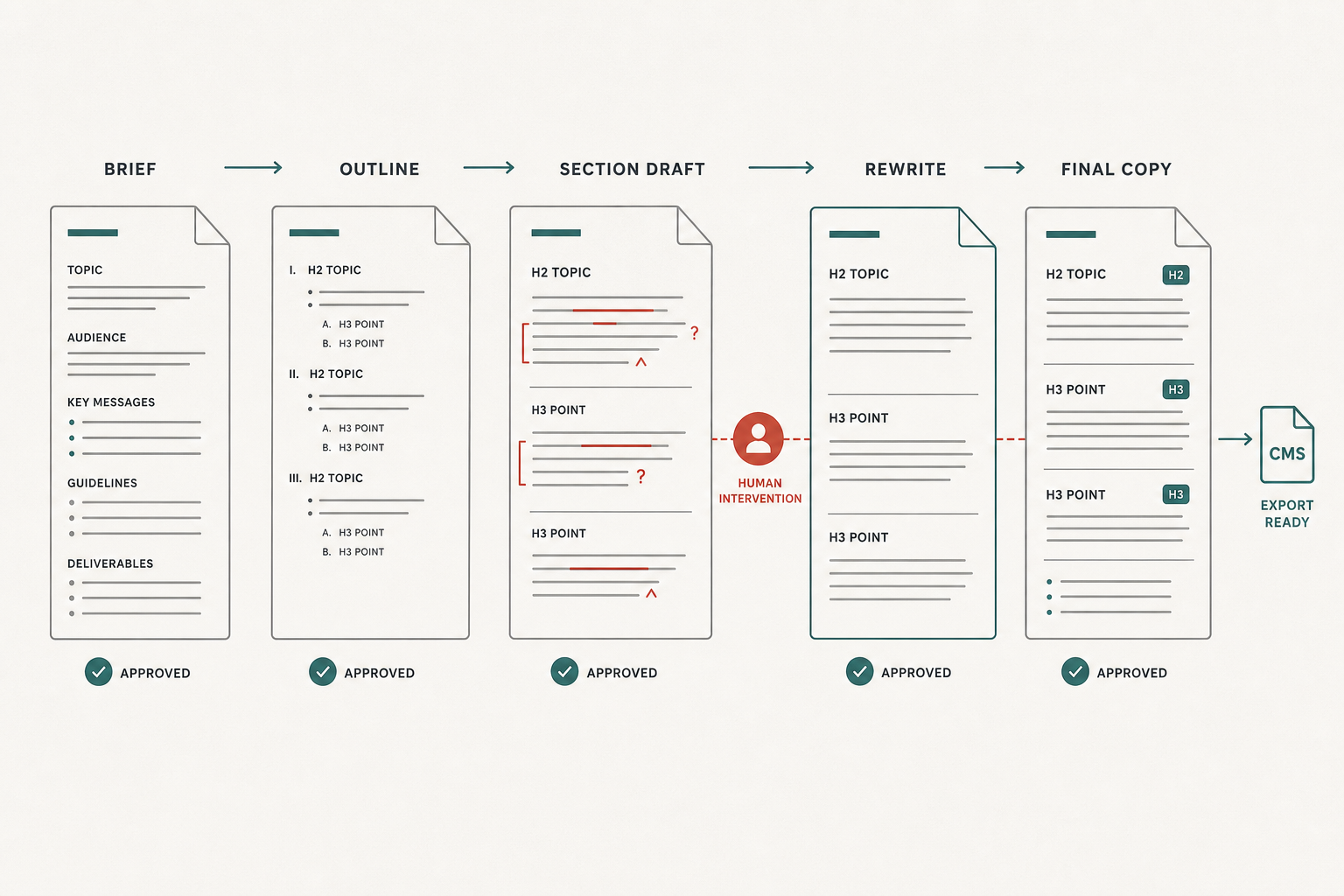
Draft in stages so AI can expand the work without changing the intent.
The point is not to make AI sound human. The point is to keep the draft useful enough that the human edit is about judgment, not rescue. That is the difference between useful ai seo automation and a workflow that quietly doubles review time.
Optimize on-page SEO with AI
AI works well on-page when it is used after the draft exists, because optimization is about fit, coverage, and clarity rather than raw generation. Once the page has a real structure, AI can tighten title options, meta descriptions, heading hierarchy, entity coverage, and answer completeness. It can also surface missing elements such as internal links, schema opportunities, and readability issues before the page goes live.
This is the stage where the workflow should get more mechanical. Ask AI to compare the draft against the target query and list what is missing: key entities, a better FAQ answer, a stronger opener, or a clearer internal link path. Then make the decisions in the editor. If the team wants a companion tool for that step, the anchor text suggester is useful for internal linking tips, and the schema markup generator helps turn schema opportunities into a concrete implementation.
A practical on-page pass should cover:
| Check | What AI can flag | What humans decide |
|---|---|---|
| Title tag | Length, keywords, redundancy | Final angle and click promise |
| Headings | Missing entities or weak structure | Section order and editorial emphasis |
| Internal links | Possible connection points | Relevance and anchor choice |
| Schema | Article, FAQ, or product opportunities | Whether markup matches the page |
| Readability | Dense sentences or weak transitions | Tone, clarity, and brand fit |
If a team wants a fast clarity check after AI-assisted drafting, the readability checker fits naturally into this stage. It is especially helpful when the draft is technically correct but still too heavy to ship as-is.
Publish, monitor, and refresh from the same system
AI becomes much more valuable when it is connected to publishing and refresh, not just drafting. Once a page is approved, the content should move into the CMS without copy-paste chaos, broken formatting, or version drift. That is where teams save the most time, because the article does not live in a separate prompt thread after approval.
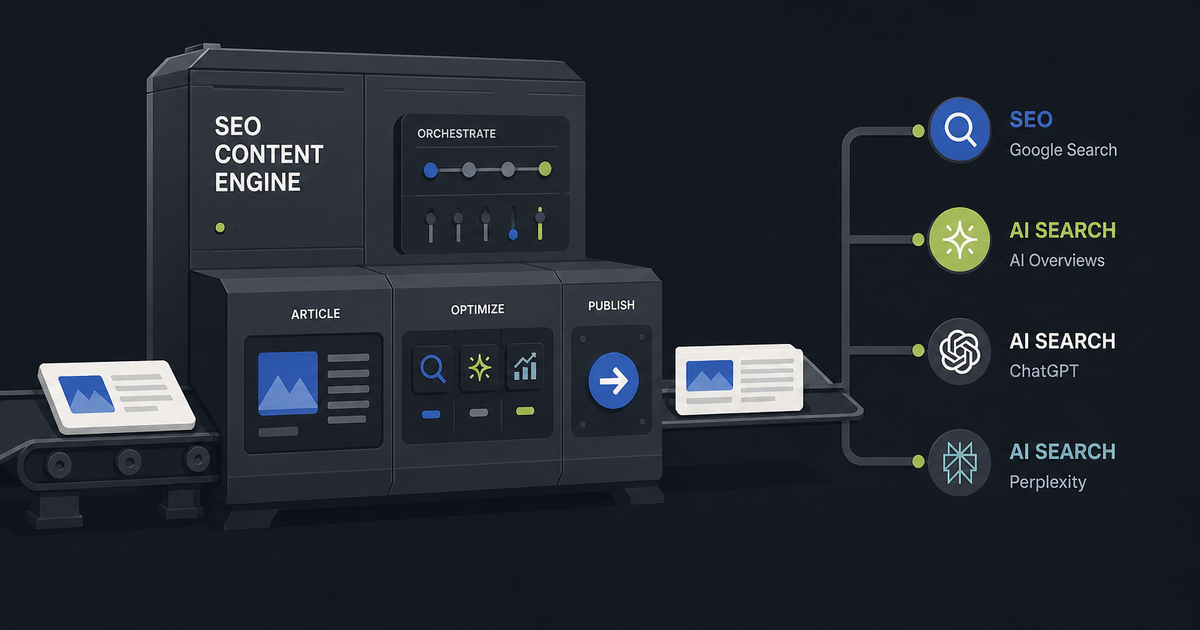
After publish, use Google Search Console to watch impressions, clicks, query changes, and page decay. If a page starts slipping, AI can help draft a refresh plan: improve the intro, add missing entities, update dated examples, or strengthen internal linking. This is also where AI search visibility matters, because modern content needs to stay useful in Google, ChatGPT, Perplexity, and AI Overviews, not just on the blue links page.
As a practical rule, refresh pages when one of these happens:
- Rankings flatten while impressions stay high.
- Click-through rate drops after a snippet change.
- New subtopics appear in the query data.
- AI Overviews or other answer surfaces change the page’s role.
- A competitor adds fresher coverage on the same topic.
If the team is building for modern search surfaces as well as classic SEO, this explainer on SEO for AI is a useful framing piece to keep nearby during planning.
Avoid the workflow mistakes that break SEO
The biggest AI SEO mistakes are process mistakes, not model mistakes. The usual failure modes are unreviewed facts, duplicate article structure, generic intros, thin expertise, and publish paths that skip editorial QA. Once those habits creep in, the team spends more time fixing content than the tool saved.
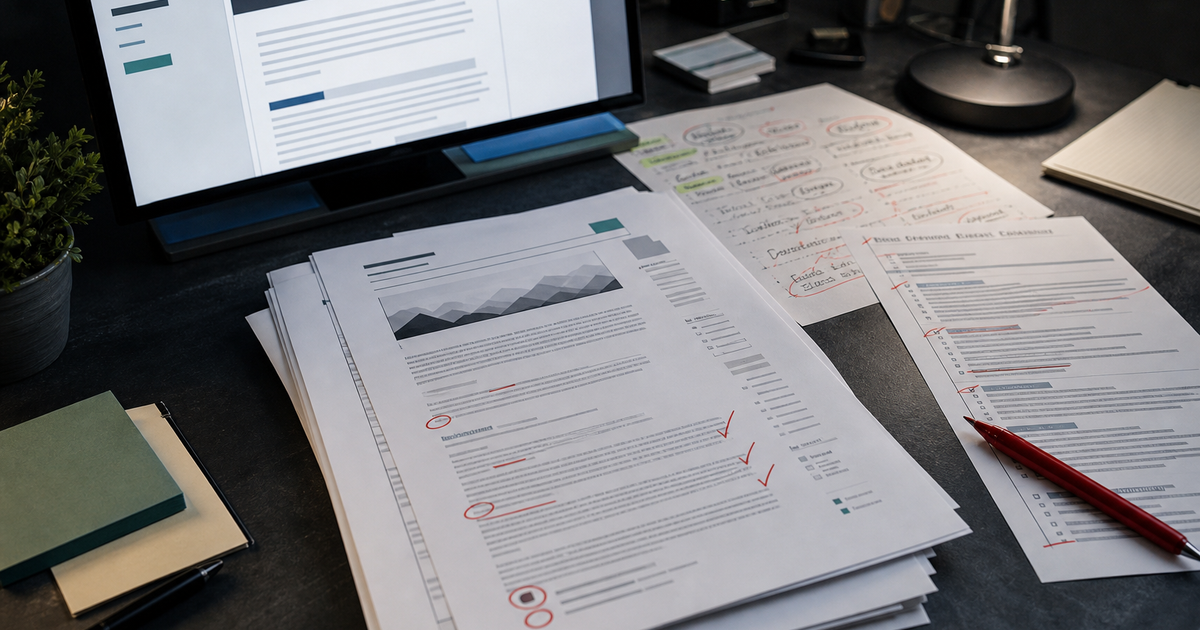
The easiest way to avoid damage is to keep AI in draft mode until a human approves the final version. That means no factual claims without sources, no unsupported ranking promises, no copy that repeats the same structure across every page, and no automatic publishing unless the QA step is complete. It also means using AI for modern surfaces like Perplexity and AI Overviews carefully, because those systems reward clarity and source quality rather than volume alone.
Warning: If AI writes the final answer without review, the workflow usually breaks in the review stage, not the draft stage. The page may look finished, but it will still need a human pass for intent, accuracy, and differentiation.
A simple pre-publish checklist helps:
- [ ] Every claim has a source or internal proof.
- [ ] The page answers one query with one clear intent.
- [ ] The opening paragraph is specific, not generic.
- [ ] Internal links are relevant and not forced.
- [ ] E-E-A-T signals are visible in examples, bylines, or citations.
- [ ] The page is checked in the CMS before publish.
That discipline keeps ai seo workflow gains from turning into cleanup work.
When to use a platform instead of a pile of prompts
A prompt stack works for isolated tasks, but a platform wins when the team needs repeatable output across research, drafting, publishing, and refreshes. The problem with scattered prompts is not that they are bad. It is that they do not remember the workflow. The brief lives in one place, the draft in another, the optimisation notes somewhere else, and the refresh process gets forgotten until traffic drops.
That is where a system built for ai seo automation matters. Essel is designed to handle the loop end to end: research, drafting, optimisation, publishing, and refreshes. For teams that need seo workflow automation instead of a pile of tabs, the difference shows up in output consistency, not just speed.
A quick decision guide:
| Need | Prompt workflow | Platform |
|---|---|---|
| One-off idea generation | Good | Good |
| Repeatable content production | Fragile | Better |
| CMS publishing | Manual | Integrated |
| Refresh orchestration | Easy to forget | Built in |
| Internal linking at scale | Inconsistent | Systematic |
If your team is already past ad hoc prompting, the next step is usually evaluation, not more prompts. Essel pricing is the natural place to compare the platform against the cost of manual coordination, missed refreshes, and fragmented tooling.
Final check before you ship
The workflow is ready when AI speeds up the work without changing the standard. If the brief is clear, the review gates are set, the CMS path is clean, and the team still owns intent and accuracy, AI is helping. If any of those pieces are missing, the tool is probably creating more content than the team can safely operate.
Use AI where it saves time. Keep humans where trust matters. That is the stable version of how to use ai for seo, and it is the one that scales across content ops, on-page SEO, and modern search surfaces.